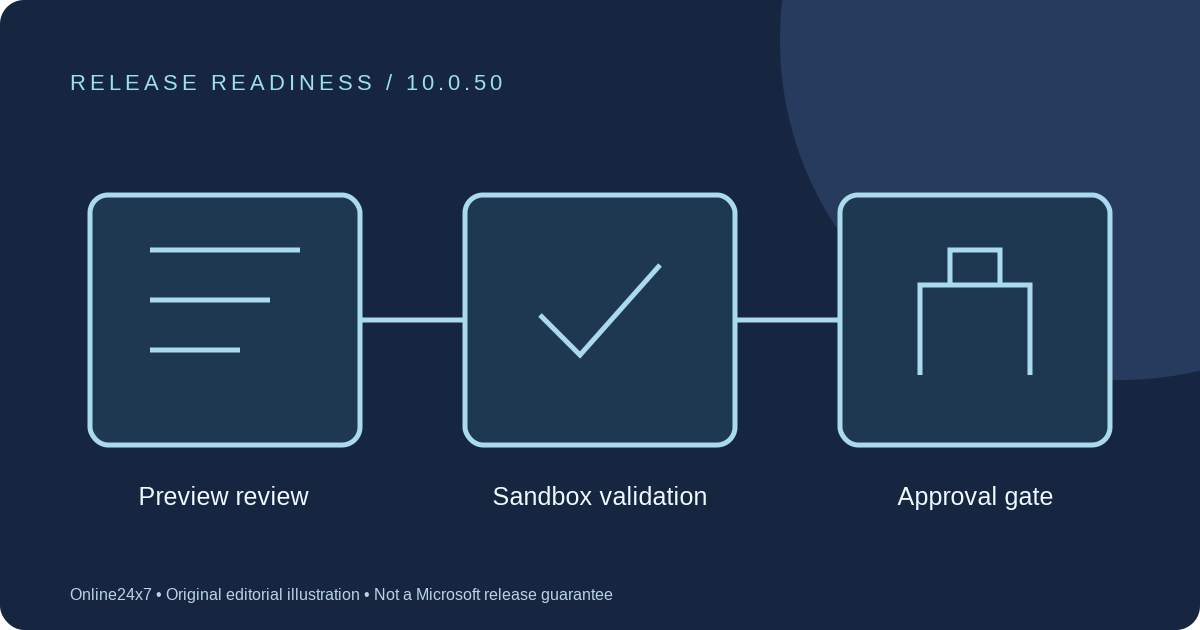
Release notes often appear before an application becomes generally available. For Finance and Supply Chain Management 10.0.50, that distinction is central to a responsible readiness plan. Use the preview period to understand the changes and collect evidence, not to promise that every listed capability is already available for production use.
Documented product facts are based on the Microsoft Learn sources below. Test scenarios and implementation advice are editorial recommendations, not Microsoft guarantees or client case studies.
Read the three availability dates separately
Microsoft's release-specific Finance and SCM pages identify build 10.0.2919 and the same application schedule: October 2026 preview, December 2026 general availability for self-update, and January 2027 general availability for auto-update. On this article's verification date, November 23, 2026, the self-update and auto-update dates are still in the future. Version 10.0.49 remains the current generally available release described by our companion guides.
An application release date does not override an individual feature's preview status. The 10.0.50 tables contain features explicitly marked preview alongside defaults, mandatory changes and opt-in capabilities. Read the availability label, enablement mechanism, prerequisites and linked feature page together. Dates and scope can change, so confirm the current source and your environment's update schedule before committing to a maintenance window.
Finance: prepare US reporting evidence, not just file generation
The Finance page describes generation of IRS IRIS-compatible CSV files for several 1099 form types, followed by manual upload to the IRIS Taxpayer Portal. This is not a claim that Finance automatically submits every file directly to the IRS. The described process includes validating issuer and recipient information and generating files by form type and tax year.
An illustrative readiness test uses a nonproduction US legal entity with controlled sample recipients and representative payment classifications. Ask the tax owner to review the output format and validation messages, then reconcile reportable amounts against the agreed transaction population. Do not transmit sample taxpayer information to a live authority portal as part of a sandbox demonstration. Keep legal review and filing responsibility separate from technical confirmation that a CSV was created.
Finance: financial tags and tax changes require scoped testing
Financial tags for budget-register entry headers and lines are listed as a Feature management capability. Subscription-billing financial tags are explicitly preview. These changes should not be treated as evidence that all financial-tag use cases are identical. Determine which source fields your organization needs to preserve, where they appear downstream and which reports actually consume them.
The release also describes Swedish VAT exchange-rate determination based on the VAT register date, tax-exempt-number population on prepayment invoices and several tax-calculation previews. Build country-specific tests with the relevant finance and tax specialists. For a date-sensitive scenario, deliberately use different posting and tax-point dates, then compare the expected exchange-rate basis. A global smoke test with one domestic invoice cannot establish that local regulatory processing is correct.
Finance: review reconciliation and France e-reporting prerequisites
The Account reconciliation agent enhancement is marked production-ready preview. Its budget-to-ledger reconciliation is applicable when Budget control and Posting definitions are enabled. That prerequisite limits the scenarios to which the described functionality applies; it is not a universal automatic reconciliation of every financial balance.
For France, the notes describe direct e-reporting submission to EDICOM through Electronic messages, with availability in the commercial cloud, and additional reporting enhancements requiring current ER configurations. Confirm the legal entity's obligations, provider arrangement, connection configuration and message lifecycle with the responsible specialists. In nonproduction, test validation, rejected messages, corrections and evidence retention. Do not infer a statutory compliance guarantee from a successful connectivity test.
SCM: design approval ownership before enabling quality workflows
SCM 10.0.50 lists approval workflows for CAPA cases and quality orders. These capabilities can change who may complete a process and when inventory or corrective actions can move forward. A workflow is not a substitute for a quality policy; the organization must define approvers, delegation, rejection handling and the evidence required for a decision.
An illustrative manufacturer could test a failed quality result that requires review, a rejected approval and a corrected resubmission. Verify user permissions and the effect on the associated operational process. Keep batch stability testing separate because its feature entry is preview. If evaluating it, have a quality specialist define sampling and acceptance expectations rather than assuming that a generic application test establishes a validated quality process.
SCM: availability calculations and warehouse evidence affect promises
The upcoming notes describe configurable receipt sources in available-to-promise calculations and consideration of inventory status. Both can alter delivery-date or quantity expectations. Compare the result for on-hand stock with different statuses and for purchase, transfer and production receipts under the intended configuration. Keep an agreed explanation for each changed promise so sales users do not interpret it as random date movement.
Photo and video capture through Warehouse Management mobile-app detours is listed as preview. If it is relevant, evaluate device permissions, connection quality, evidence ownership and retention before promising deployment. A useful sandbox scenario is damaged inbound packaging with a clear link between the captured evidence and the affected transaction. Do not upload real customer or employee media without the necessary authorization.
Mandatory and default changes belong in the first risk review
The SCM enhancement tables describe removal of Dynamics 365 Guides from the production-floor execution interface as mandatory in 10.0.50 because Guides is no longer supported. If your work instructions depend on that experience, identifying an alternative operating procedure is more urgent than evaluating an optional preview. Confirm affected stations, training material and support documents before approving the update.
Other listed changes include default-enabled report transaction-scope optimizations and financial-tag propagation for plan-to-produce, plus planning-calendar and tracking-dimension enhancements. Validate custom report data providers and integration expectations with representative workloads. For each applicable item, record whether your test protects an existing process, evaluates a new capability or confirms a changed default; those are separate release decisions.
Choose a bounded evaluation instead of an all-feature pilot
Select a few scenarios with a clear business owner and measurable acceptance result. For example, evaluate one quality-approval process and one delivery-promise configuration independently before testing their combined effect on fulfillment. Record the starting parameters and feature states, then change only the settings required by the scenario. This makes an unexpected outcome easier to explain and gives the owner a meaningful adoption decision.
Maintain an exclusion list for capabilities outside the pilot, including previews whose prerequisites, support conditions or business value have not been established. An exclusion is not a product defect; it is a scope decision that should be visible to sponsors and support. Avoid production integrations and real regulatory submissions during evaluation. Once the application release becomes generally available, repeat the relevant regression and adoption tests against the actual candidate build rather than treating an earlier preview result as permanent evidence.
Turn the preview into a decision-ready evidence pack
Use a focused register with an owner, source link, feature status, affected processes, prerequisites, sandbox result and adoption decision. Keep preview experiments outside the minimum regression suite for existing production processes. That separation lets you take an application update without confusing it with approval to adopt every optional feature.
Before the planned availability window, recheck Microsoft's pages and the environment-specific schedule. Confirm that critical regressions pass, required operational changes have owners and unresolved preview questions do not appear in production commitments. A go/no-go pack should explain what was tested, what remains excluded and what support will monitor afterward. The goal is a clear decision based on evidence, not a longer feature list.
- 01
October 2026
Preview: evaluate changes in a suitable nonproduction environment.
- 02
December 2026
Scheduled self-update GA: recheck official availability.
- 03
January 2027
Scheduled auto-update GA: confirm your environment's window.
Before you proceed
Implementation checklist
- Label 10.0.50 as upcoming until the applicable GA date is reached and verified.
- Separate application availability from each feature's own preview label.
- Assign country-specific Finance reviews to tax and regulatory owners.
- Evaluate CAPA and quality-order approvals with rejection and resubmission cases.
- Compare ATP results using controlled inventory statuses and receipt sources.
- Identify production-floor procedures affected by mandatory Guides removal.
- Recheck official dates, prerequisites and source pages before go/no-go.
Frequently asked questions
Is 10.0.50 generally available in November 2026?
Not according to the release schedules verified on November 23: they list December 2026 self-update GA and January 2027 auto-update GA.
Does production-ready preview mean unrestricted GA?
No. Preserve Microsoft's preview designation and verify the feature's support conditions, prerequisites and current documentation.
Sources and verification
Verified 2026-11-23. Microsoft can revise feature scope, prerequisites and dates. Recheck the official source for production decisions.