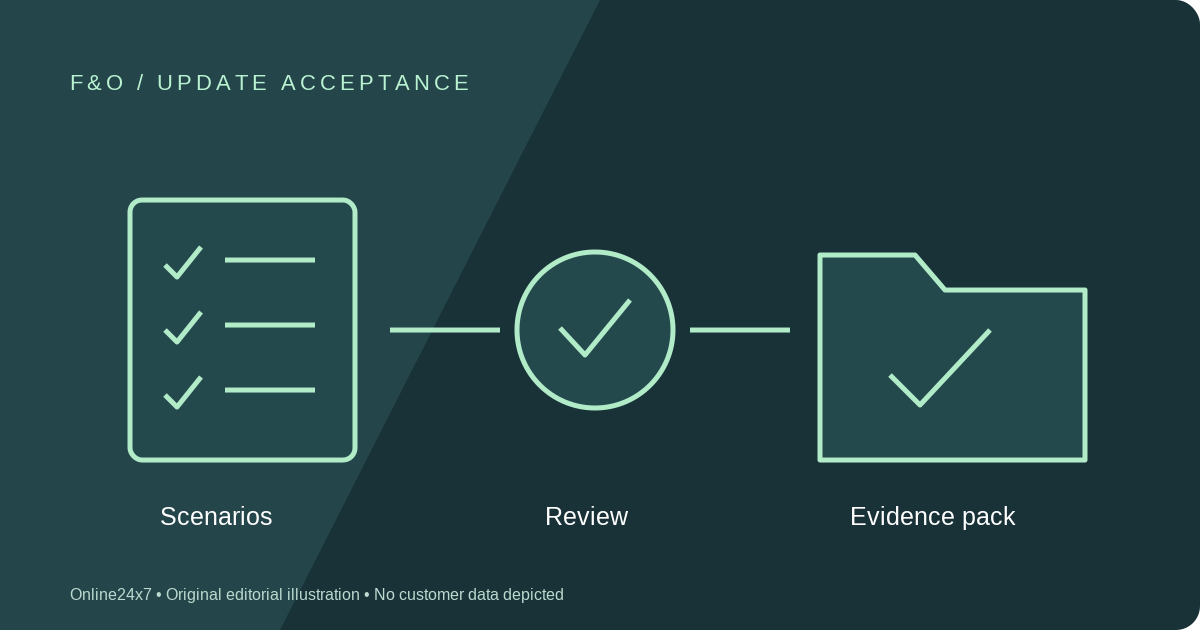
A green test run is useful only when it represents the processes that matter to the business. Finance and operations update testing should produce a clear explanation of what still works, which changes were accepted and who owns the remaining risks. This guide provides a practical evidence-led approach, with a specific warning for teams relying on RSAT.
Documented product facts are based on the Microsoft Learn sources below. Test scenarios and implementation advice are editorial recommendations, not Microsoft guarantees or client case studies.
Start from the actual update, not a generic release checklist
Record the installed application and platform versions, the target build, the environment type, the update method and the planned production window. Microsoft's One Version FAQ explains service-update cadence, pause constraints and separate auto-update windows. Your actual schedule and supported choices must come from the environment's administration experience and the current Microsoft guidance, not from a copied calendar.
For 10.0.49, the release-specific Finance and SCM pages list September 2026 self-update and October auto-update availability. For 10.0.50, they list December 2026 and January 2027. These are release milestones, not a guarantee that every customer environment updates on the same day. Recheck them when planning and again before approval, especially when a preview is being evaluated alongside a supported production update.
Build a process-to-change map with named owners
List the business journeys that would create unacceptable disruption if broken: vendor payment, customer invoicing, inventory receipt, production completion, picking, shipment confirmation and financial close are common examples. Connect each relevant release item, default change and mandatory feature to those journeys. Add extensions, custom reports, document formats and external dependencies that are not visible in the Microsoft feature table.
For an illustrative distribution business, a purchase-to-pay test should include the purchase order, warehouse receipt, vendor invoice, accounting result and payment interface. Assign an owner to each handoff and one owner to the end-to-end outcome. A case that stops after the receipt screen loads does not establish that the invoice can be posted or that the vendor payment file is correct.
Define the expected result before running the test
A repeatable test needs prerequisites, user role, legal entity, input data, steps and an expected business result. Specify document states, amounts, dates, inventory quantities and accounting relationships where they matter. An expected result such as 'works normally' is too vague to support a release decision or distinguish a genuine regression from an intentional change.
Choose data that represents ordinary and difficult cases without exposing production-sensitive information unnecessarily. For Finance, include foreign currency, partial settlements, closed periods and tax variations relevant to the legal entity. For SCM, include partial receipts, inventory statuses, alternative calendars and shortages. Keep a controlled reset or preparation procedure so a failed rerun is not merely the consequence of yesterday's test consuming the same stock.
Test exceptions, retries and permissions as first-class scenarios
Many operational failures occur outside the happy path. Include rejected workflow approvals, missing required fields, duplicate external messages, an unavailable endpoint, insufficient inventory and an unauthorized action. These cases should produce an explainable state and a supported recovery procedure, not just an error message that the project team ignores.
In a payment-interface example, simulate a rejected outbound file and a subsequent retry using nonproduction endpoints. Confirm which transaction remains pending, whether the retry can duplicate a payment and what evidence support needs to investigate. In warehouse integration testing, trace a duplicate notice through acknowledgement and receipt handling. Never use a test that sends real payments, external customer emails or production business documents without separate explicit authorization.
Choose automation with the RSAT deadline in view
Microsoft's RSAT overview currently states that the Regression Suite Automation Tool is marked for deprecation and will not be supported after May 15, 2027. That is material to a testing strategy written in late 2026. Do not build a new long-term plan that assumes indefinite RSAT support, or confuse an existing installation continuing to run with a supported future lifecycle.
For existing RSAT suites, inventory useful task recordings, parameters, expected values, test ownership and Azure DevOps evidence. Preserve the underlying business scenarios independently of the tool so they can be migrated or executed through an approved alternative. Microsoft describes RSAT's Task recorder workflow, Excel parameters and Azure DevOps integration; it does not make RSAT a complete substitute for integration, performance, security or exploratory testing. Evaluate replacement options through current official guidance rather than inventing a universal successor.
Keep business validation separate from technical smoke tests
A technical smoke test can establish that users can authenticate, required services respond, batch processing starts and a critical page opens. Business UAT establishes that a process produces the approved result for the intended role and data. Both are necessary, and a passing service health check must not be presented as completed finance reconciliation or warehouse acceptance.
Organize the suite in layers. Run a small technical readiness set first, then high-risk end-to-end processes, targeted release-change scenarios and a broader regression set. Use measured performance baselines for processes sensitive to volume. A slow batch result is meaningful only with its workload, concurrency and environment context; comparing unrelated runs can lead to false confidence or unnecessary escalation.
Collect an evidence pack that another person can inspect
Each result should identify the build, execution time, environment, tester, scenario version and outcome. Retain the relevant transaction references, reports or logs in an access-controlled location. For a failed case, record the observed difference, expected result, business impact, reproduction steps and disposition. Separate a product defect from missing setup or invalid test data rather than relabeling every failure as environmental.
An illustrative go/no-go review can use four decisions: passed, accepted change, blocked and excluded with justification. The release owner should see unresolved critical process failures immediately. A screenshot collection without expected values and transaction references is difficult to audit; a short, traceable evidence record is usually more useful. Protect personal, financial and confidential business data in every attachment and export.
Re-test the fix and the neighboring process
When a defect is corrected, rerun the original failing case using its documented inputs and expected outcome. Then run the related upstream and downstream scenarios that the correction could affect. A posting extension fix, for example, may require renewed checks of document creation, accounting and reporting, not simply confirmation that the original error no longer appears. Record the corrected build and link the new evidence to the earlier failure.
Keep scope proportionate to the change and its dependencies. A narrow configuration correction may justify a focused rerun, while a shared extension or interface change warrants broader regression. Do not overwrite the failed evidence with the passing result: the history should explain what changed and why the release owner can now accept it. This makes the go/no-go review faster and helps support distinguish a known, resolved issue from a genuinely new production symptom.
Agree recovery and support responsibilities before production
Define who monitors integrations, financial exceptions, warehouse queues and batch processing after the update. Prepare escalation contacts and supported corrective actions. Recovery planning for a managed Dynamics environment must follow Microsoft's applicable servicing and support procedures; do not assume you can reverse an application update or restore production data using a generic website rollback method.
Schedule a final evidence review with business and technical owners. Confirm the exact release scope, feature enablement decisions, approved exclusions and post-update checks. After production maintenance, perform authorized smoke checks and monitor the business processes selected in the risk map. Feed any gaps back into the reusable suite so the next release requires less investigation, not merely a larger pile of screenshots.
- 01
Risk
Which process could fail, and who owns it?
- 02
Scenario
What data, role and expected result prove it?
- 03
Evidence
Which execution and transactions support the outcome?
- 04
Decision
Who accepts the result and monitors production?
Before you proceed
Implementation checklist
- Capture installed and target versions, environment and confirmed update window.
- Map release changes and mandatory defaults to named business-process owners.
- Define expected documents, balances, quantities and statuses before execution.
- Cover permissions, rejection, retry and duplicate-message behavior.
- Inventory RSAT dependencies and plan around the May 15, 2027 support deadline.
- Retain reproducible, access-controlled evidence with clear defect decisions.
- Approve support ownership, monitoring and supported recovery procedures.
Frequently asked questions
Can a health check replace UAT?
No. A service can be healthy while posting, planning or integrations produce the wrong business result. Verify the expected end-to-end outcome.
Is RSAT a safe assumption for a new long-term testing strategy?
Not without addressing its lifecycle. Microsoft's current overview says RSAT will not be supported after May 15, 2027. Preserve business scenarios and evaluate a supported transition.
Sources and verification
Verified 2026-11-23. Microsoft can revise feature scope, prerequisites and dates. Recheck the official source for production decisions.